
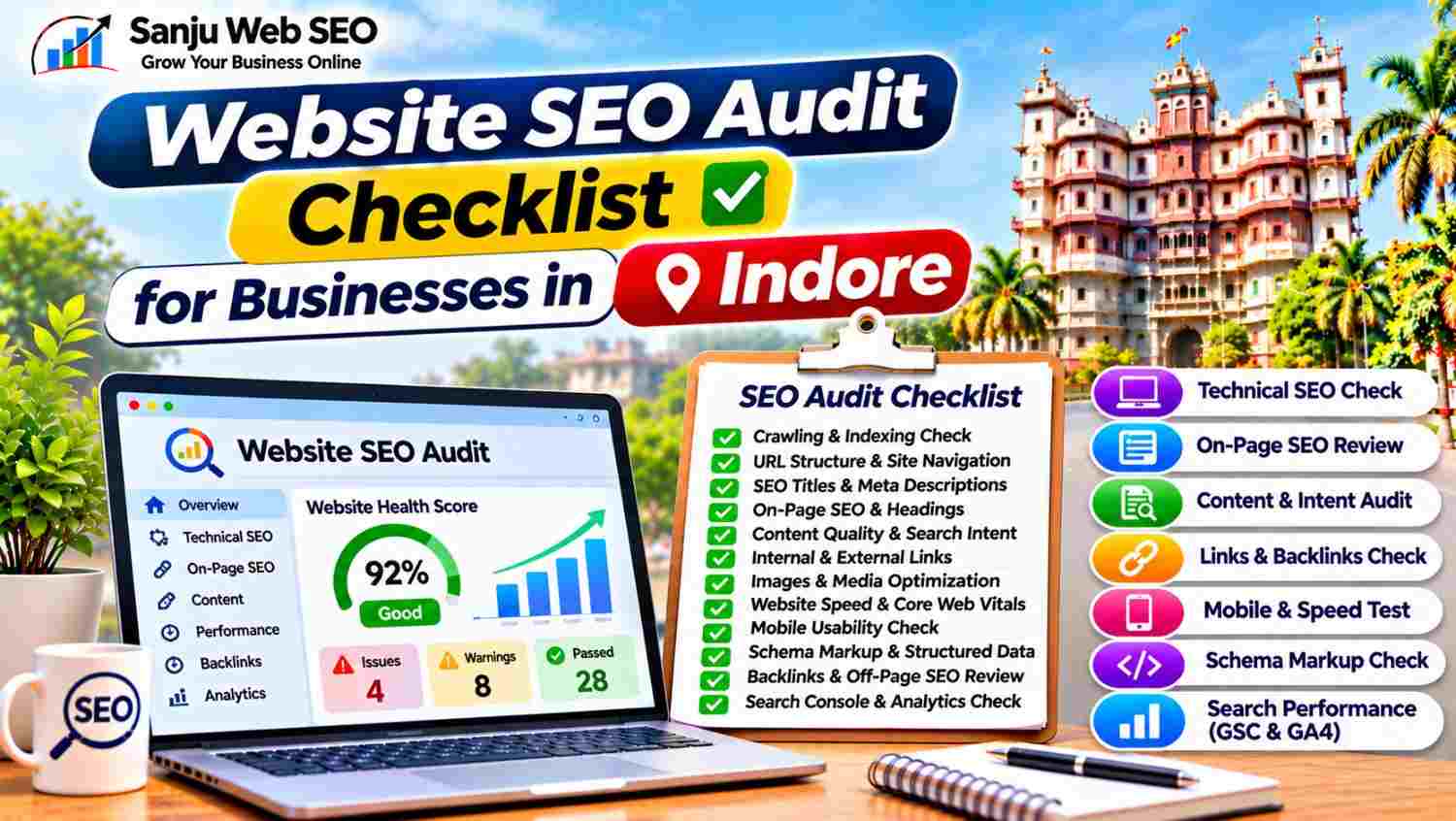
A Complete Guide to Checking Website Health, Technical SEO, Content and Search Performance
A Website SEO Audit Checklist for Businesses in Indore helps companies identify problems that may affect their website’s search visibility, usability and performance. Whether you operate a local service business, clinic, restaurant, consultancy or eCommerce store, regular website audits can help you understand what is working and which areas need improvement.
However, an SEO audit is not simply about checking keyword placement or running a website through an automated tool. It involves reviewing technical settings, page content, website structure, internal links, mobile usability and search performance. Additionally, businesses should prioritize issues according to their actual impact rather than trying to fix every warning reported by an SEO tool.
This guide provides a practical checklist for reviewing important website SEO elements. It also explains how businesses targeting customers in Indore can identify optimization opportunities and create a structured improvement plan.
What Is a Website SEO Audit?
A website SEO audit is a systematic review of a website to identify issues and opportunities related to organic search performance.
It examines how search engines access website pages, understand their content and evaluate their technical setup. At the same time, an audit reviews the experience visitors receive when they browse the website.
A typical SEO audit includes:
- Technical SEO checks
- Website crawling and indexing
- Page titles and meta descriptions
- Heading structure
- Content quality and relevance
- Internal and external links
- Image optimization
- Mobile usability
- Website speed and Core Web Vitals
- Structured data
- Search performance and analytics
For example, a business may have useful service pages that receive very little organic traffic because search engines cannot access them properly. Similarly, a technically healthy website may still struggle because its content does not address customer search intent.
Therefore, an effective audit should examine the complete website rather than focusing on one SEO element.
Why a Website SEO Audit Is Important for Businesses in Indore
Regular website audits help businesses understand whether their websites support their marketing and customer acquisition goals.
1. Identifies Technical SEO Problems
Technical problems can affect crawling, indexing and website accessibility.
For example, broken links, incorrect redirects, blocked resources and unintended noindex settings may prevent important pages from performing as expected.
Consequently, an audit helps identify issues that need technical attention.
2. Finds Content Optimization Opportunities
An audit can reveal pages with missing metadata, weak headings, outdated information or overlapping content.
Additionally, businesses can identify topics that need better explanations and pages that should be updated.
3. Reviews Website User Experience
A website should work properly across different devices and screen sizes.
Therefore, an audit should examine mobile layouts, navigation, page speed, contact forms and important user interactions.
4. Helps Prioritize SEO Improvements
Not every website issue has the same importance.
For instance, an important service page blocked from indexing may require immediate attention, whereas a minor image naming issue may have lower priority.
As a result, an organized audit helps businesses allocate time and resources more effectively.
Website SEO Audit Checklist for Businesses in Indore: 12 Essential Checks
Use the following checklist to review your website systematically.
Step 1: Check Website Crawling and Indexing
Start by checking whether search engines can discover and access important website pages.
Review the following:
- Is the website accessible to search engines?
- Are important pages allowed to be crawled?
- Are valuable pages accidentally marked noindex?
- Is the robots.txt file configured correctly?
- Does the XML sitemap contain relevant URLs?
- Are important pages indexed where expected?
Use Google Search Console to review the Page Indexing report and inspect individual URLs.
Additionally, use a website crawler to identify URLs, status codes, canonical tags and indexability settings.
However, remember that not every non-indexed URL represents a problem. Some pages may be intentionally excluded because they are duplicates, filtered URLs or unnecessary resources.
Step 2: Review Website URLs and Site Structure
A clear website structure helps visitors navigate pages and helps search engines understand relationships between different sections.
Check whether:
- URLs are readable and descriptive.
- Important pages are accessible through internal navigation.
- Similar pages have a logical hierarchy.
- Unnecessary URL parameters are managed properly.
- Redirects lead to relevant destinations.
- Important pages are not buried too deeply.
For example, a business website may organize its pages into services, locations, blogs and contact information.
Additionally, use consistent URL formats across the website.
Avoid changing existing URLs unnecessarily. If a URL change is required, implement an appropriate redirect and update relevant internal links.
Step 3: Audit SEO Titles and Meta Descriptions
Page titles and meta descriptions help communicate the purpose of individual pages.
Review every important page for:
- Unique SEO title
- Relevant primary keyword
- Accurate page description
- Clear search intent
- Appropriate title length
- No unnecessary keyword repetition
For example, a service page targeting Indore customers should clearly communicate the service and location when relevant.
Similarly, meta descriptions should explain what visitors can expect from the page.
However, do not write misleading descriptions simply to attract clicks. The metadata should accurately represent the actual page content.
Step 4: Check Heading Structure and On-Page SEO
Headings organize content and help readers understand each section.
Review these elements:
- One clear H1 heading for the main page topic
- Relevant H2 headings for major sections
- H3 headings for supporting topics where useful
- Natural keyword placement
- Clear and readable paragraphs
- Relevant image alt text
- Descriptive internal link anchors
Additionally, check whether the main topic appears naturally in the introduction.
Avoid forcing exact-match keywords into every heading. Instead, use relevant variations and synonyms where they improve clarity.
Step 5: Review Content Quality and Search Intent
Content should answer the questions visitors have when they reach a page. Therefore, every important page should provide useful, relevant and accurate information that matches what visitors expect to find.
Check whether each important page:
- Provides original and useful information
- Clearly explains the actual service or product
- Matches the target search intent
- Includes relevant details and practical examples
- Avoids unnecessary repetition and duplicate information
- Uses accurate and up-to-date business information
- Is reviewed and updated whenever important information changes
For example, a local service page should explain the services offered, the business’s actual service coverage and how customers can make an enquiry. Additionally, it should answer common customer questions so visitors can understand the service before contacting the business.
Moreover, review similar pages to identify keyword cannibalization or unnecessary content duplication. If two pages serve the same purpose, consider whether their content, target keywords and search intent need to be differentiated. Otherwise, both pages may compete for similar searches without providing distinct value.
Step 6: Audit Internal and External Links
Links connect website content and help visitors discover relevant information. Additionally, a well-organized linking structure makes it easier to navigate between important pages.
Review the following elements:
- Broken internal links
- Broken external links
- Unnecessary redirect chains
- Incorrect redirect loops
- Relevant internal linking opportunities
- Descriptive and meaningful anchor text
- Links pointing to outdated or removed pages
Furthermore, check whether important service pages receive links from relevant blogs and supporting pages. This helps visitors discover related services while creating useful connections between website content.
For example, an article about local search optimization can link to your Local SEO Services in Indore page where it naturally supports the discussion. Similarly, relevant service pages can link to supporting guides that answer customers’ questions.
However, avoid adding links simply to increase their total number. Instead, make sure every link helps visitors navigate the website or understand related information. Finally, review important links after website updates to ensure they still lead to the correct destinations.
Step 7: Check Images and Media Optimization
Images contribute to page presentation and help visitors understand website content. However, unnecessarily large files can increase loading time and affect the browsing experience.
Therefore, review these image-related elements:
- File size and compression
- Appropriate image dimensions
- Suitable file formats
- Descriptive image file names
- Relevant and meaningful alt text
- Responsive image delivery
- Lazy loading where appropriate
For example, a large banner should be resized according to its actual display dimensions instead of uploading an unnecessarily high-resolution image. Additionally, use WebP or AVIF formats where supported and suitable to reduce file sizes without compromising acceptable visual quality.
Similarly, check whether images display correctly on mobile devices. If an image is too large or incorrectly positioned, it may affect the page layout and user experience.
Alt text should describe meaningful image content. Moreover, write descriptive text that explains the image rather than inserting unrelated keywords into every image description. For decorative images, use an appropriate implementation that does not create unnecessary screen-reader distractions.
Step 8: Review Website Speed and Core Web Vitals
Website performance is an important part of the user experience. Therefore, review important website pages using Google PageSpeed Insights and other suitable performance testing tools.
Check these Core Web Vitals:
- Largest Contentful Paint (LCP): Good performance is 2.5 seconds or less.
- Interaction to Next Paint (INP): Good performance is 200 milliseconds or less.
- Cumulative Layout Shift (CLS): Good performance is 0.1 or less.
Additionally, investigate oversized images, slow server responses, unnecessary scripts and inefficient caching. These issues may contribute to slower loading, delayed interactions or unexpected layout movement.
For example, if a large hero image takes too long to load, review its dimensions, compression and loading priority. Similarly, if a page responds slowly to user interactions, examine JavaScript execution and unnecessary third-party scripts.
However, do not focus only on achieving a perfect PageSpeed score. Instead, prioritize improvements that make important pages faster, more stable and easier to use. Finally, test the website again after implementing significant performance changes.
Step 9: Test Mobile Usability
Many customers browse local business websites through smartphones. Therefore, mobile usability should be an essential part of every website SEO audit.
Check whether:
- Pages adapt properly to different screen sizes.
- Text remains readable without unnecessary zooming.
- Navigation works properly on smaller screens.
- Buttons are easy to tap.
- Forms are simple to complete.
- Images display correctly.
- Important contact information is easily accessible.
Additionally, test actual pages on mobile devices instead of relying only on desktop previews. This helps identify problems that may not appear during desktop testing.
For example, a website may look correct on a large screen but still create navigation or readability problems on smartphones. Similarly, contact forms may become difficult to complete when their fields or buttons are not properly arranged.
Consequently, review the complete mobile experience, including menus, service pages, enquiry forms and contact buttons. Make corrections wherever visitors face unnecessary difficulty.
Step 10: Validate Schema Markup and Structured Data
Structured data helps describe website content in a machine-readable format. Additionally, it provides search engines with more context about the information presented on individual pages.
Review whether appropriate schema types are implemented and whether the information matches the visible page content.
Depending on the website, relevant types may include:
- Organization
- LocalBusiness
- Article
- Product
- BreadcrumbList
- WebSite
Use Google Rich Results Test and Schema.org Validator to review structured data. Furthermore, check whether important properties contain accurate information and whether the implementation follows the relevant guidelines.
Also, look for duplicate schema generated by multiple plugins or custom scripts. For example, an SEO plugin may already generate Organization or Article schema. Therefore, review the existing output before adding another implementation.
Remember that valid structured data does not guarantee rich results or improved rankings. Instead, use schema to describe website information accurately and maintain a consistent implementation.
Step 11: Review Backlinks and Off-Page SEO
A website audit should also consider external links and brand references. These elements provide additional context about how your website is connected with other online resources.
Review:
- Relevant referring domains
- Backlink quality and relevance
- Unnatural link patterns
- Broken backlinks
- Lost important links
- Relevant brand mentions
- Business listing consistency
Additionally, check whether important external links point to the correct website pages. If a valuable backlink points to a removed URL, investigate whether an appropriate redirect is required.
However, do not judge backlink quality only by a third-party tool’s authority score. Instead, review the relevance, context and actual source of each important link.
Similarly, examine whether business information remains consistent across relevant online directories. This is particularly useful for businesses targeting local customers in Indore.
If you identify suspicious links, investigate them carefully before taking action. Not every low-quality-looking link requires a disavow request. Therefore, understand the actual link pattern and its potential impact before making changes.
Step 12: Review Google Search Console and Google Analytics Data
Finally, review actual website performance data to understand how visitors discover and interact with your website. This information helps connect technical audit findings with measurable website activity.
Google Search Console helps you examine:
- Search clicks
- Impressions
- Average CTR
- Average position
- Search queries
- Indexing reports
- Sitemap status
Google Analytics 4 helps you examine:
- Traffic acquisition
- Landing page activity
- User interactions
- Events
- Key events
- Engagement information
For example, if a service page receives impressions but very few clicks, review its title and description. Additionally, compare its search queries with the actual content to understand whether the page matches user expectations.
Similarly, if a page attracts visitors but generates few enquiries, investigate the content, CTA placement and contact form experience. Moreover, check whether the enquiry tracking configuration is working correctly before drawing conclusions.
Therefore, combine technical audit findings with real performance data before deciding which improvements to implement. Finally, record the changes and monitor the results over time so that future audits can identify further opportunities.
Common Website SEO Audit Mistakes Businesses in Indore Should Avoid
An SEO audit can become less useful when businesses focus on tool scores instead of meaningful website issues.
Avoid these common mistakes:
- Fixing every automated warning: Prioritize issues according to their actual impact.
- Ignoring important indexed pages: Review valuable service and location pages individually.
- Changing URLs without redirects: Protect existing URL paths when making structural changes.
- Repeating keywords unnecessarily: Use natural language and relevant variations.
- Ignoring mobile testing: Check real user experience across devices.
- Overlooking duplicate content: Review pages with similar topics and search intent.
- Adding unnecessary schema: Use only structured data that accurately describes the page.
- Ignoring analytics data: Combine technical findings with search and visitor information.
By avoiding these mistakes, businesses can turn audit findings into practical optimization work.
How Sanju Web SEO Approaches a Website SEO Audit in Indore
At Sanju Web SEO, a website audit begins with reviewing the website structure, search visibility and existing technical setup.
The process can include:
- Website crawling and URL analysis
- Indexing and crawlability checks
- SEO title and meta description reviews
- Heading and content analysis
- Internal link evaluation
- Broken link and redirect checks
- Image optimization review
- Mobile usability checks
- Website speed and Core Web Vitals analysis
- Schema markup validation
- Backlink and external reference review
- Search Console and Analytics performance checks
Furthermore, audit findings should be organized according to priority, implementation requirements and business objectives.
Businesses can explore the SEO Audit service to understand the broader website review process.
You can also connect with Sanju Web SEO on LinkedIn for practical SEO insights, website audit guidance and digital marketing updates.
Conclusion: Website SEO Audit Checklist for Businesses in Indore
A website SEO audit helps businesses identify technical issues, improve content quality and understand how their websites perform in search engines.
However, an effective audit requires more than checking automated scores. Businesses should review crawling, indexing, metadata, content, internal links, mobile usability, performance and actual search data.
By following this Website SEO Audit Checklist for Businesses in Indore, companies can develop a structured approach to identifying website problems and prioritizing SEO improvements.
If you need help reviewing your website and improving its search presence, visit Sanju Web SEO or call +91 9302110432 to discuss your requirements. You can also connect with us on LinkedIn for more SEO insights, practical website audit advice, technical SEO updates and strategies to strengthen your business visibility online.
FAQ’s:-
Q1. What Is a Website SEO Audit Checklist for Businesses in Indore?
A Website SEO Audit Checklist for Businesses in Indore is a structured list of checks used to review website health and search optimization. It covers technical SEO, indexing, content, metadata, links and performance. Additionally, it helps businesses identify areas that require attention.
Q2. Why Is a Website SEO Audit Important for Businesses in Indore?
A website audit helps businesses identify technical problems, content gaps and usability issues. Moreover, it provides a clearer picture of website performance. As a result, businesses can prioritize improvements based on their actual requirements instead of relying only on automated scores.
Q3. How Often Should Businesses Follow a Website SEO Audit Checklist for Businesses in Indore?
Businesses should conduct a detailed audit periodically and after major website changes. Additionally, important technical and indexing reports should be monitored regularly. For example, a website redesign or migration may require a fresh audit to identify problems.
Q4. Which Tools Can Help With a Website SEO Audit Checklist for Businesses in Indore?
Google Search Console, Google Analytics 4, Google PageSpeed Insights and website crawling tools can support an SEO audit. Each tool provides different information. Therefore, combine their findings to review indexing, performance, technical issues and visitor activity.
Q5. Does a Website SEO Audit Checklist for Businesses in Indore Include Technical SEO?
Yes, technical SEO is an important part of a website audit. It includes crawlability, indexing, redirects, XML sitemaps, robots.txt, canonical tags and website performance. Additionally, it helps identify technical issues that may affect search engine access.
Q6. How Can I Check Website Indexing During an SEO Audit?
Use Google Search Console’s Page Indexing report and URL Inspection tool. Next, review important pages and investigate any unexpected indexing restrictions. However, remember that not every excluded URL requires correction because some pages may be intentionally excluded.
Q7. Should Content Quality Be Included in a Website SEO Audit?
Yes, content quality should be reviewed alongside technical SEO. For example, check whether pages provide useful information, match search intent and avoid unnecessary duplication. Furthermore, review outdated information and identify opportunities to improve important service pages.
Q8. Can a Website SEO Audit Checklist for Businesses in Indore Improve Google Rankings?
An SEO audit can identify problems and opportunities that may support better search performance. However, completing a checklist does not guarantee higher rankings. Actual results depend on the quality of implementation, competition, content relevance and other search factors.
Q9. What Should Businesses Do After Completing a Website SEO Audit?
First, organize the findings according to importance and implementation effort. Next, fix critical technical issues and prioritize improvements to important pages. Additionally, monitor search performance after making changes to understand their impact.
Q10. Can Sanju Web SEO Help With a Website SEO Audit in Indore?
Yes, Sanju Web SEO provides SEO support that can include technical audits, on-page reviews, indexing checks, content analysis and performance evaluation. Additionally, businesses can receive recommendations to prioritize website improvements according to their SEO requirements.