
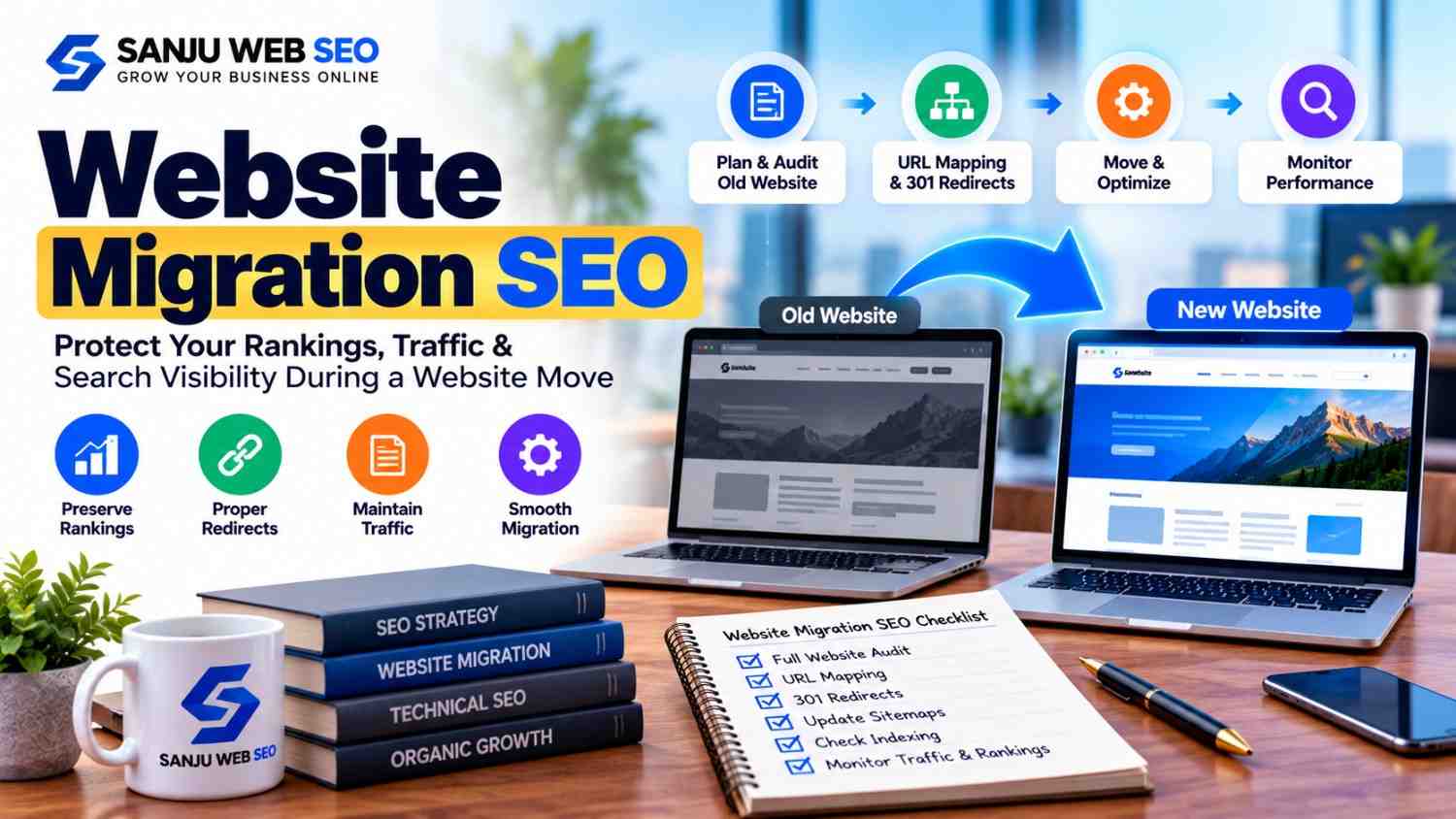
A Practical Guide to Maintaining Organic Traffic, Search Visibility, and SEO Performance
Website Migration SEO is essential when you change your website’s domain, platform, URL structure, design, or hosting environment. A website migration can improve performance and user experience, but even a small technical mistake can affect organic rankings, indexing, and traffic. Therefore, businesses should prepare a structured migration plan before making significant website changes.
A successful migration involves more than moving pages from one website to another. It requires careful URL mapping, technical checks, content preservation, redirect planning, and post-launch monitoring. When these tasks are handled correctly, search engines can understand the changes more efficiently, while visitors can continue accessing the information they need.
At Sanju Web SEO, the goal is to help businesses make informed SEO decisions that support long-term visibility. This guide explains how to plan a website migration, reduce avoidable ranking risks, and identify problems before they affect business performance.
1. What Is Website Migration SEO?
Website migration SEO is the process of protecting and improving search visibility when a website undergoes a major technical or structural change. The process helps search engines discover updated URLs, understand the new website structure, and transfer relevant signals from old pages to their appropriate destinations.
However, not every website update is a full migration. For example, changing a button colour usually does not require a migration plan. In contrast, moving from HTTP to HTTPS, changing a domain name, rebuilding a website on a different CMS, or restructuring hundreds of URLs requires careful SEO management.
Common types of website migrations include:
- Domain migration: Moving from one domain name to another.
- Platform migration: Moving a website from one CMS to another.
- HTTPS migration: Switching from HTTP to a secure HTTPS version.
- URL structure migration: Changing page URLs, folders, or permalink formats.
- Website redesign: Rebuilding page layouts, templates, or navigation.
- Hosting migration: Moving a website to a different hosting provider or server.
- Website consolidation: Combining multiple websites or sections into one property.
Each type creates different risks. For instance, a domain change requires domain-level planning, whereas a CMS migration may also affect internal links, metadata, schema markup, and page rendering.
2. Why Website Migration SEO Matters for Organic Traffic
Search engines use many signals to discover, crawl, index, and rank website pages. During a migration, those signals can change if the new website uses different URLs, removes useful content, or introduces technical barriers.
Consequently, a poorly managed migration can lead to:
- Declining organic traffic.
- Important pages disappearing from search results.
- Broken internal and external links.
- Incorrect redirects or redirect loops.
- Duplicate content and indexing problems.
- Missing title tags, meta descriptions, or structured data.
- Reduced conversions from organic visitors.
- Confusion for users who follow old links.
Nevertheless, a temporary ranking fluctuation does not automatically mean the migration has failed. Search engines need time to crawl and process substantial website changes. The key is to monitor the right metrics and correct genuine technical issues promptly.
For a broader understanding of website health, businesses can start with a technical and SEO audit before selecting a migration date.
3. Build a Complete SEO Baseline Before Migration
Before changing anything, record how the existing website performs. Without a baseline, it becomes difficult to determine whether traffic changes are related to the migration, seasonality, algorithm updates, or other marketing activities.
3.1 Record organic traffic and search performance
Use Google Search Console and your analytics platform to record the current performance of important landing pages. Include clicks, impressions, average positions, organic sessions, and conversions where available.
Additionally, identify the pages that generate the most leads, sales, or enquiries. A page with modest traffic but strong conversion performance may be more valuable than a page receiving many unqualified visits.
3.2 Crawl the existing website
Use a website crawler to export the current URLs and their SEO attributes. Ideally, the crawl should include:
- Status codes and indexability.
- Page titles and meta descriptions.
- H1 and H2 headings.
- Canonical URLs.
- Internal links and click depth.
- Images and alternative text.
- Structured data where detectable.
- Redirects and broken links.
Save this information before migration. It provides a reference for checking whether important elements survived the move.
3.3 Identify valuable pages and backlinks
Review pages that attract backlinks, qualified traffic, enquiries, or sales. These pages deserve special attention during URL mapping and quality assurance.
Also, export known backlinks from a suitable backlink analysis tool. After migration, you can check whether those links still lead to relevant pages rather than broken URLs or unrelated destinations.
4. Create an Accurate URL Mapping and Redirect Plan
URL mapping is one of the most important tasks in Website Migration SEO. It connects each existing URL with its intended destination on the new website.
For example, suppose the old website contains:
The new website may use:
If the page has genuinely moved to the new location, a permanent server-side redirect, usually a 301 redirect, can direct visitors and search engines to the updated URL.
4.1 Map old URLs to relevant new pages
Prepare a spreadsheet containing the old URL, new URL, redirect requirement, current status, and validation notes. Map pages according to their content and purpose rather than simply redirecting everything to the homepage.
This distinction matters because an unrelated destination may confuse users and fail to preserve the value of the original page.
4.2 Avoid redirect chains and loops
A redirect chain occurs when one URL redirects through several other URLs before reaching the final page. A redirect loop prevents the browser from reaching a destination at all.
Therefore, whenever possible, redirect each old URL directly to its final relevant destination. Test the rules before launch, especially when the website contains many pages or complicated URL patterns.
4.3 Preserve valuable URLs where possible
If a URL does not need to change, retaining it can reduce unnecessary migration work. However, when structural changes are necessary, implement and test appropriate redirects instead of leaving old URLs broken.
5. Preserve High-Value Content and On-Page SEO
A redesign often changes content, headings, navigation, and page templates. However, changing too many SEO elements at the same time can make it harder to understand why performance shifts after launch.
Before migration, document the content and on-page elements of important pages. Then compare them against the new versions.
5.1 Keep useful content intact
Avoid removing helpful paragraphs, service details, product information, FAQs, or location-specific content without a clear reason. If content needs improvement, revise it carefully while preserving the information that satisfies the original search intent.
For example, a local service page may receive qualified enquiries because it explains the service area, process, pricing factors, and customer questions. Removing these sections during a redesign could weaken its usefulness.
5.2 Check titles, descriptions, and headings
Confirm that important pages retain accurate SEO titles, meta descriptions, headings, and descriptive image alt text. Each page should have a clear purpose and avoid unnecessary duplication.
Similarly, verify that the new templates do not accidentally generate identical titles or remove important headings across hundreds of pages.
5.3 Maintain internal linking
Internal links help visitors navigate the website and help search engines discover related content. Consequently, review navigation menus, breadcrumbs, contextual links, and links between service pages and supporting articles.
For example, a business investing in AI SEO services should ensure that relevant service pages remain accessible from appropriate menus or supporting content after a redesign.
6. Check Technical SEO Before the New Website Goes Live
A website may look excellent to visitors while still containing technical problems that affect search engines. For this reason, the staging website should undergo a structured SEO review before launch.
6.1 Review robots.txt and indexing directives
Development websites are often blocked from search engine crawling. That is useful during development, but the same restriction must not accidentally remain on the live website.
Check the robots.txt file, page-level robots directives, and relevant HTTP headers. Make sure important pages are crawlable and eligible for indexing when appropriate.
Also, do not rely on robots.txt alone to remove a page from search results. Indexing controls must be implemented according to the page’s intended status.
6.2 Verify canonical tags
Canonical tags indicate the preferred URL for pages with duplicate or substantially similar content. After migration, confirm that important pages reference the correct canonical URLs.
For example, a new page should not accidentally retain a canonical pointing to the old domain if the migration requires the new URL to become the preferred version.
6.3 Test mobile usability and page performance
Check the website on mobile devices, since visitors may experience different layouts, navigation issues, or loading problems on smaller screens. Test important forms, menus, buttons, and conversion paths.
Additionally, review Core Web Vitals and other performance indicators. A migration can introduce oversized images, unnecessary scripts, or slower templates, so performance should be tested rather than assumed.
6.4 Validate structured data
If the existing website uses structured data for an organisation, local business, product, article, or other eligible content type, compare it with the new implementation.
Make sure the markup describes the visible page accurately. Remove outdated URLs and incorrect business information, and validate the updated structured data with suitable testing tools.
7. Plan the Website Migration Launch Carefully
The launch should follow a checklist rather than an informal sequence of changes. A planned release helps teams identify problems quickly and reduces the chance of overlooking important SEO elements.
Before launch, confirm the following:
- The latest website backup is available.
- The new website has been crawled and checked.
- Important redirects have been tested.
- Canonical tags point to the intended URLs.
- XML sitemaps contain the correct canonical URLs.
- Internal links lead to valid destinations.
- Important page titles and content are present.
- Forms, calls to action, and contact details work.
- HTTPS certificates and preferred host settings are correct.
- Analytics and Search Console access are available.
- Temporary staging restrictions will not block the live website.
If possible, schedule the migration when the relevant technical team can monitor the launch and respond to issues. Avoid combining the move with unnecessary content removals, a major navigation overhaul, and multiple unrelated SEO changes.
That way, if a problem appears, the team can investigate its likely cause more efficiently.
8. What to Do Immediately After Migration
The work does not end when the new website becomes accessible. In fact, post-launch checks help confirm that search engines and visitors can reach the intended pages.
8.1 Crawl the live website again
Run a fresh crawl using the same settings as the pre-migration crawl where possible. Compare status codes, indexability, titles, canonicals, internal links, and redirect behaviour.
Prioritise high-value pages first. If a critical service page returns a 404 error or points to an incorrect destination, investigate it immediately.
8.2 Submit the updated XML sitemap
Ensure the sitemap contains the preferred, indexable URLs on the new website. Submit the updated sitemap through Google Search Console when appropriate.
A sitemap supports URL discovery, but it does not guarantee indexing. Search engines still decide which pages to crawl and index.
8.3 Monitor Google Search Console
Review indexing reports, page indexing issues, crawl activity, and search performance. If you have changed domains, follow Google’s site-move guidance and use the relevant Search Console property settings where applicable.
For a domain migration, ensure that both the old and new properties are verified and that the redirect setup is working correctly.
8.4 Test important conversions
Check enquiry forms, phone links, booking flows, checkout processes, and other conversion paths. Even when rankings remain stable, broken forms or tracking can reduce leads and create misleading analytics reports.
9. Common Website Migration SEO Mistakes to Avoid
Several avoidable mistakes can create unnecessary risk during a website move. Fortunately, most can be prevented through planning and testing.
Redirecting every old URL to the homepage: Map each old page to the most relevant available destination instead.
Deleting content without reviewing performance: Examine traffic, conversions, backlinks, and search intent before removing valuable pages.
Launching with staging restrictions enabled: Confirm that the live website is not unintentionally blocked from crawling or indexing.
Forgetting canonical tags: Update canonical references so they match the intended live URLs.
Ignoring internal links: Replace outdated links instead of making visitors pass through redirects unnecessarily.
Changing the domain, design, URLs, and content without documentation: Record the changes so the team can diagnose issues after launch.
Stopping monitoring too early: Continue checking performance because search engines may need time to process changes, and some issues only become visible later.
In addition, avoid treating every ranking fluctuation as a technical failure. Compare the timing, affected pages, indexing status, and wider search trends before deciding on corrective action.
10. How Long Does Website Migration SEO Take?
There is no universal timeline for a website migration. A small website with a few URLs may be checked relatively quickly, whereas a large website with thousands of pages, several languages, or complex platform changes requires more extensive testing.
Likewise, search engines may process a migration at different speeds depending on crawl demand, website size, redirect quality, and other technical factors.
During the initial period, monitor important pages and technical reports frequently. Over the following weeks, compare organic clicks, impressions, rankings, conversions, and indexing trends against the pre-migration baseline.
If performance declines, investigate specific patterns instead of making random changes. For example, a sudden increase in 404 errors suggests a different problem from a decline limited to pages whose content was substantially reduced.
The objective is to identify the cause, apply a targeted correction, and measure the result.
11. How Sanju Web SEO Can Help With Website Migration
A website migration involves technical SEO, content management, analytics, and user experience. Businesses may benefit from a documented process that identifies risks before launch and validates the new website afterwards.
Sanju Web SEO can help businesses assess website structure, review SEO elements, plan redirects, identify technical issues, and monitor organic search performance. The appropriate scope depends on the website’s size, migration type, current condition, and business goals.
For organisations that also want to strengthen their broader online visibility, a digital marketing company in Indore can help coordinate relevant search and marketing activities. However, migration work should remain focused on preserving useful content, accessible URLs, accurate technical signals, and a positive user experience.
Before selecting a migration date, establish clear responsibilities, document important changes, and agree on the metrics that will be monitored. This approach gives the team a more reliable basis for evaluating the launch.
12. Conclusion: Make Website Migration a Planned SEO Process
Website Migration SEO should begin before the website moves and continue after the new version goes live. A structured plan helps businesses preserve valuable URLs, protect important content, implement relevant redirects, and identify technical problems early.
Most importantly, treat migration as a controlled project rather than a simple design or hosting change. Record the existing performance, test the new website, monitor search data, and investigate unexpected changes with evidence.
If you are planning a website redesign, domain change, or platform migration, contact Sanju Web SEO to discuss an SEO review and a practical migration checklist. Visit the Sanju Web SEO website or call +91 9302110432 to discuss your requirements.
You can also connect through our Google Business Profile and LinkedIn profile for more information about our work.
FAQ’s:-
Q1. How does Website Migration SEO help protect Google rankings?
Website Migration SEO helps protect rankings by mapping old URLs to relevant destinations, implementing appropriate redirects, preserving valuable content, and checking technical SEO elements. However, no process can guarantee that every ranking will remain unchanged.
Q2. When should Website Migration SEO planning begin?
Website Migration SEO planning should begin before development is complete and before the launch date. Early planning gives the team time to audit existing URLs, identify high-value pages, prepare redirects, and test the new website.
Q3. Can Website Migration SEO prevent organic traffic loss?
Website Migration SEO can reduce avoidable risks, but it cannot guarantee that traffic will never decline. Search engine processing, competition, content changes, and technical issues can all influence results after a migration.
Q4. Are 301 redirects important for Website Migration SEO?
Yes. Website Migration SEO often uses permanent 301 redirects when a page has moved to a new URL. Redirects should point to relevant final destinations and should be tested to avoid chains, loops, and broken links.
Q5. Does Website Migration SEO apply to WordPress website redesigns?
Yes. Website Migration SEO is relevant to WordPress redesigns when URLs, templates, content, navigation, or technical settings change. Even if the domain remains the same, important SEO elements can be affected during a redesign.
Q6. How can Website Migration SEO support a domain change?
Website Migration SEO supports a domain change by mapping old URLs to their new equivalents, configuring redirects, updating canonical tags and sitemaps, verifying Search Console properties, and monitoring indexing and search performance.
Q7. What should be checked after Website Migration SEO implementation?
After Website Migration SEO implementation, check redirects, crawl errors, indexability, canonical tags, XML sitemaps, internal links, mobile usability, analytics, and important conversions. Also, monitor Google Search Console for changes in indexing and search performance.
Q8. How long does Website Migration SEO monitoring need to continue?
Website Migration SEO monitoring should continue beyond launch until the website’s technical condition and search performance have been evaluated over time. The duration depends on website size, migration complexity, crawl patterns, and any issues discovered.
Q9. Can Website Migration SEO improve a website’s technical health?
Yes. Website Migration SEO creates an opportunity to fix outdated redirects, broken links, duplicate URLs, weak site architecture, and other technical issues. However, improvements depend on the quality of the implementation rather than the migration alone.
Q10. Who should manage Website Migration SEO for a business website?
Website Migration SEO should be managed by people who understand technical SEO, website development, content, redirects, and analytics. Developers and SEO specialists should coordinate responsibilities so that technical changes and search visibility requirements are addressed together.